πŸ“ Local Β· πŸ”Œ Offline Β· πŸ’› Open source Β· πŸ†• v6.0

πŸ“Έ Come home with 3,000 photos.
Leave with your 50 best ✨.

Point Photo Curator at a folder of shots β€” JPEGs or RAW (CR2 Β· CR3 Β· NEF Β· ARW Β· DNG & more) β€” and it does the ruthless first pass for you β€” πŸ—‘οΈ drops the blurry frames, 🧬 collapses burst duplicates, and πŸ† surfaces your keepers. All on your own Mac. 🍏

RAW supported 100% local Photos never uploaded No accounts Β· no tracking MIT licensed
πŸ”’ 100% local. Photo Curator runs a small server bound to 127.0.0.1 and opens a browser tab against it. No data leaves your machine β€” no uploads, no telemetry, no external APIs. The only outbound requests are optional OpenStreetMap tiles (GPS view) and a Ko-fi badge, loaded by your browser, not the app.
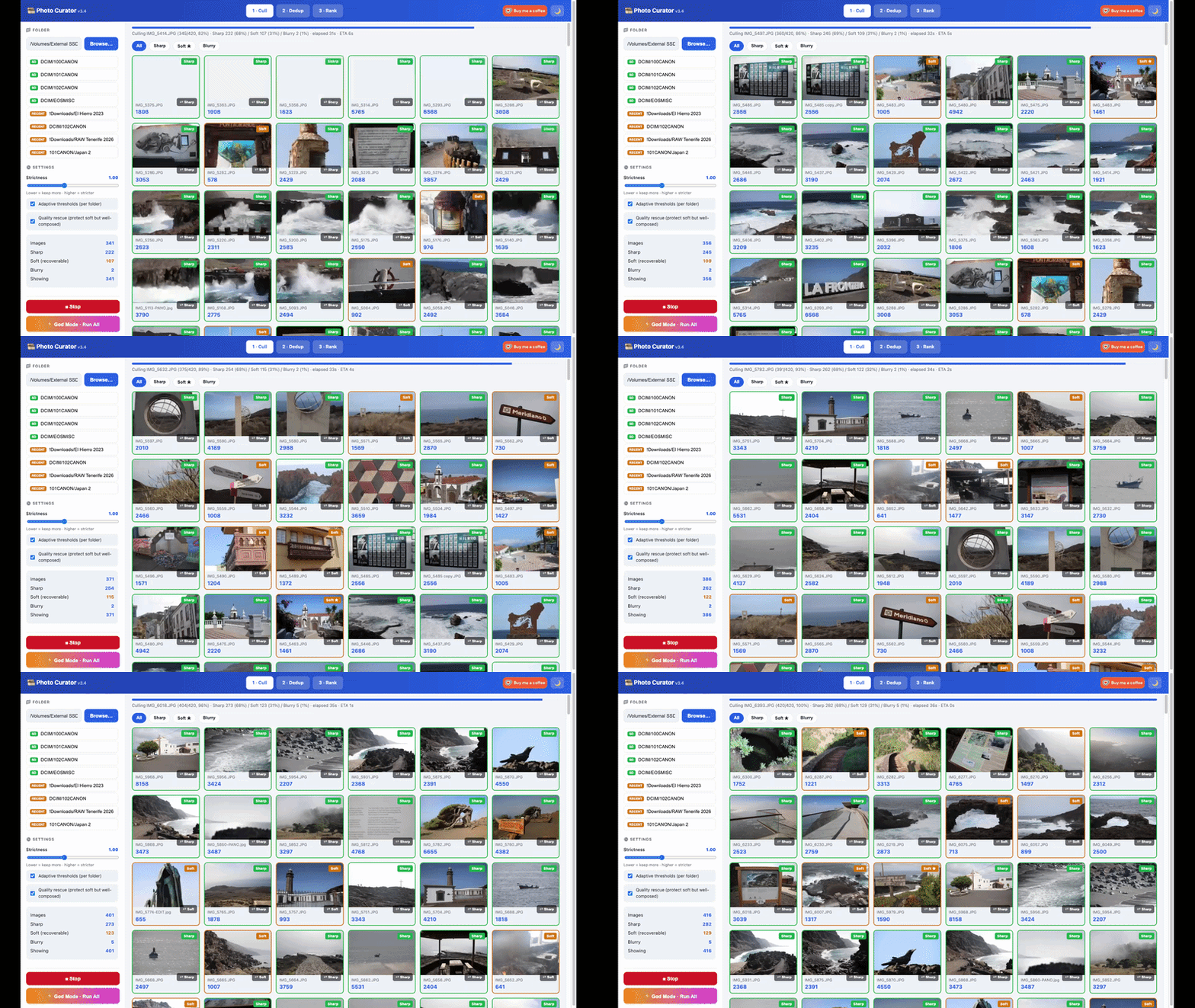
Photo Curator in action β€” culling, dedup and ranking
πŸ“Έ See it in action
STEP 1

βœ‚οΈ Cull

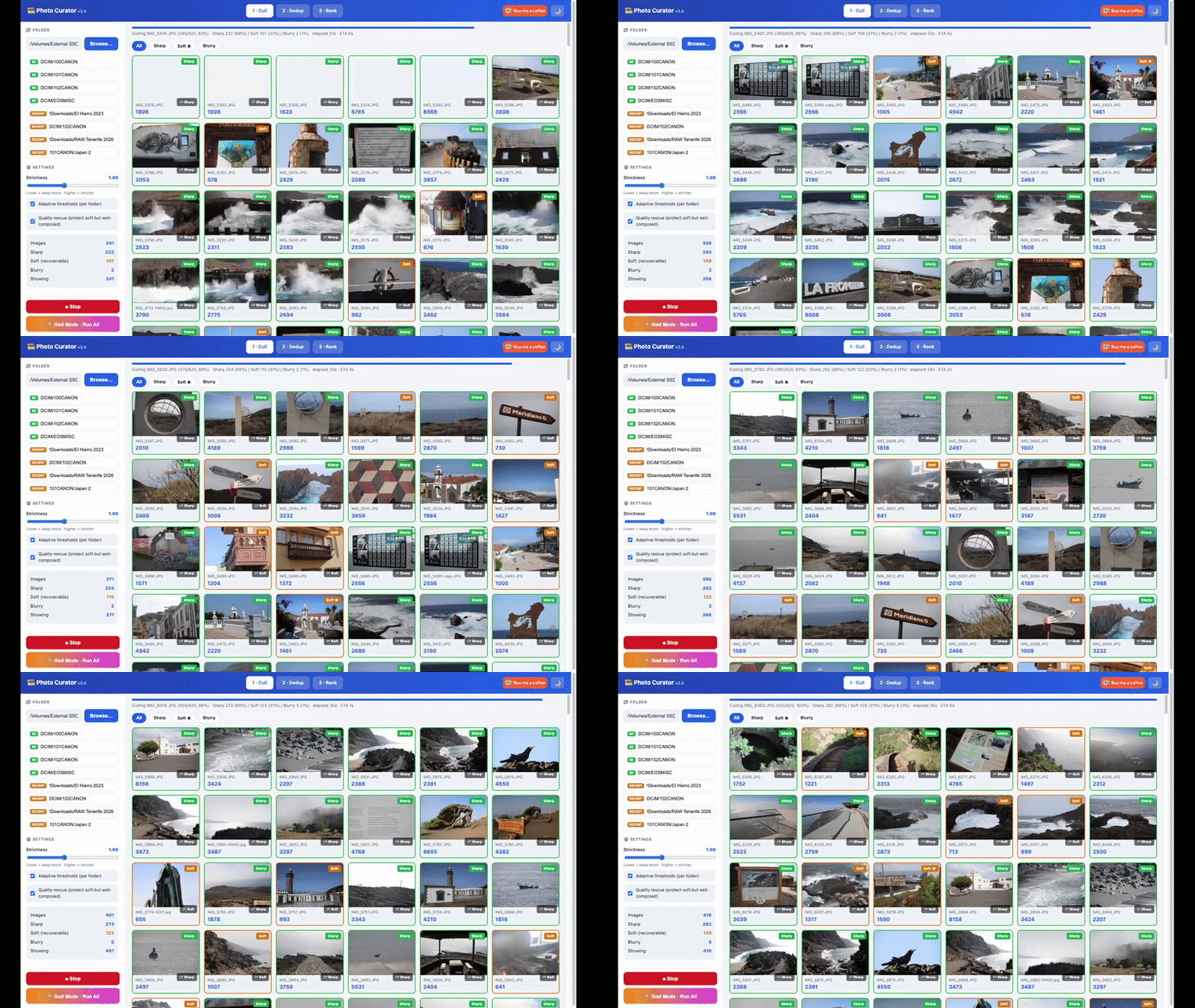
Out-of-focus shots flagged by real, contrast-aware sharpness β€” haze and night skies aren't mistaken for blur. Shoot RAW+JPG? Filter to RAW only or JPG only.

STEP 2

🧬 Dedup

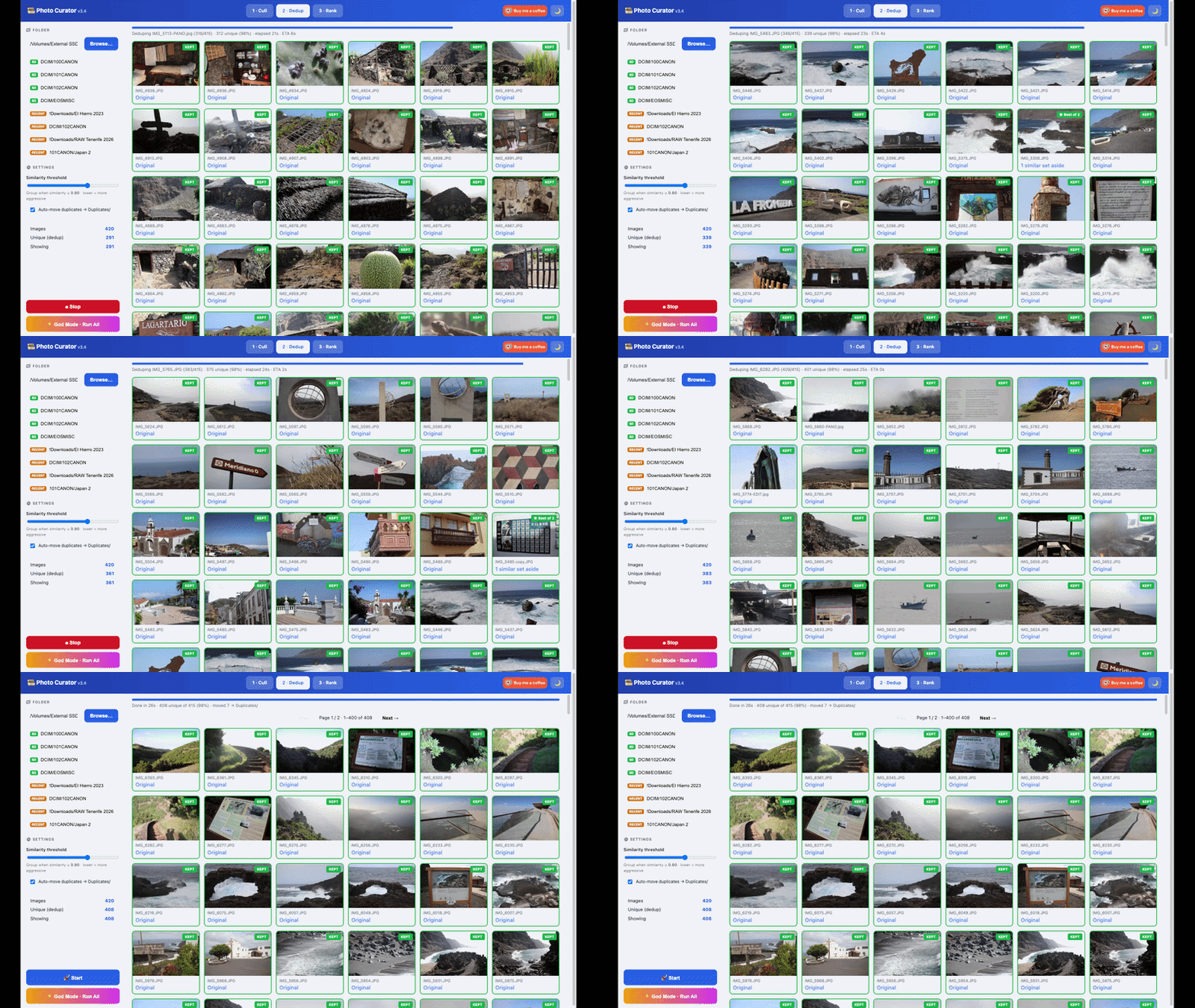
Burst sequences collapse to one frame. The sharpest survivor is kept, labelled β€œBest of N.”

STEP 3

πŸ† Rank

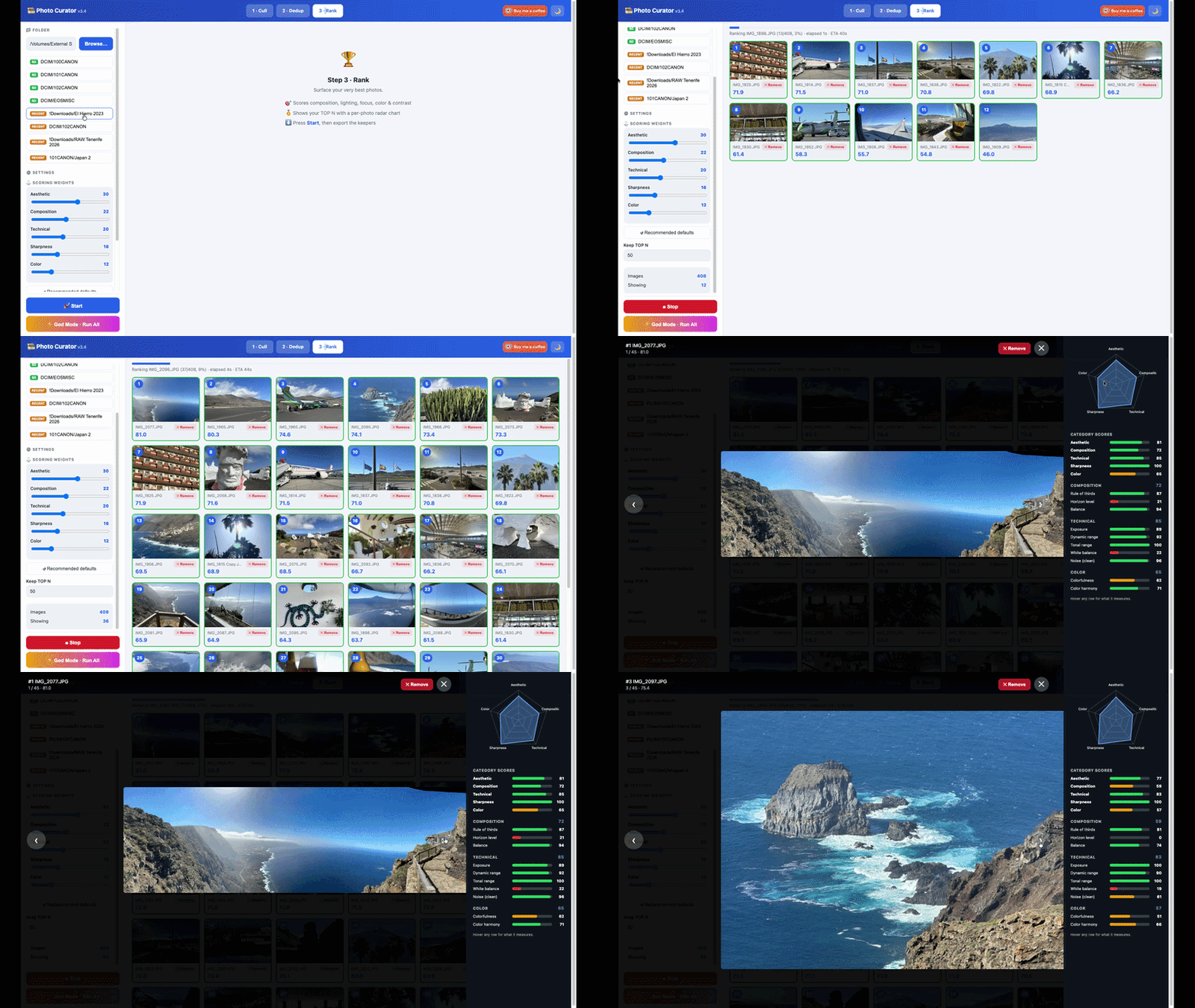
Each keeper scored on composition, lighting, focus, colour and contrast, then sorted to your TOP N.
Watch the demo

See it run, end to end.

The problem

A long shoot is mostly noise.

Thousands of near-identical frames, blurred misfires, and a handful of genuine keepers buried in the middle. Going through them by hand is slow and easy to get wrong. Photo Curator does the first pass in seconds per hundred photos β€” and every decision stays reversible. Nothing is deleted or moved until you say so.

πŸ†• New in v6.0

RAW files, first-class.

Point it at your RAW shoot β€” no conversion step, no detours through Lightroom. Powered by LibRaw.

πŸ“· Every major RAW format

Canon CR2 / CR3, Nikon NEF, Sony ARW, Adobe DNG, Fuji RAF, Olympus ORF, Panasonic RW2, Pentax PEF and more. Fast by design: the full-size JPEG preview your camera embeds in each RAW is used for thumbnails, analysis and display β€” EXIF, GPS and orientation included β€” with a half-size RAW develop as fallback. Exports always copy the untouched original.

🧩 Shoot RAW+JPG? Covered.

Cull gets file-type filter chips β€” All types Β· RAW only Β· JPG only, plus per-format chips (CR2 only, NEF only…) when a folder mixes brands β€” and every card wears its format tag. A Dedup setting collapses same-frame RAW+JPG pairs to one keeper (keep both / keep RAW / keep JPG), and your choice carries through Dedup and Rank.

πŸ’Ύ SD cards, every brand

Insert a card and the sidebar finds your shots no matter who made the camera: Canon 100CANON, Nikon 100NIKON, Sony 100MSDCF, Fuji, Olympus, Panasonic, GoPro, DJI… Date-nested DCIM layouts are handled too, empty folders are skipped, and each shortcut is labelled with the detected brand β€” "SD Β· Nikon".

πŸ”’ Still 100% local

RAW decoding runs on your machine like everything else β€” no uploads, no cloud APIs. Running from source? RAW needs one extra library: pip install rawpy. Without it the app keeps working JPEG-only and says so in the sidebar.

The pipeline

Three steps, each feeding the next.

βœ‚οΈ Step 1 Β· Cull

Drop the out-of-focus shots first.

Sharpness is measured as var(Laplacian) / var(image) on a normalized copy β€” so it judges real focus, not contrast. Big skies, haze and night scenes are kept, not punished.

  • Sorted into Sharp Β· Soft (recoverable) Β· Blurry
  • RAW / JPG filter chips β€” RAW only, JPG only, or a specific format (CR2, NEF, ARW…)
  • One-click Sharp ⇄ Blurry override on any frame
  • Adjustable strictness; blurry shots move only when you press the button
Cull view β€” photos sorted by sharpness
🧬 Step 2 · Dedup

Collapse the bursts to one keeper.

A 192-bit perceptual hash clusters near-duplicates globally; EXIF capture-time tightens bursts and ORB feature-matching stops distinct scenes from being wrongly merged.

  • The sharpest frame of each group is kept
  • Labelled β€œBest of N” so you see how many it stood in for
  • RAW+JPG pairs of the same frame can collapse to one β€” keep RAW or keep JPG
  • Vectorized and cached β€” big cards stay fast
Dedup view β€” burst sequences collapsed to best frames
πŸ† Step 3 Β· Rank

Surface your TOP N β€” with the reasoning.

Every keeper is scored across five dimensions and shown with a per-photo radar chart and a TOP-N average β€œmetric profile.” Tune the weights to your taste; ranking shows live progress with elapsed time and ETA.

  • Composition Β· Lighting Β· Focus Β· Colour Β· Contrast
  • Adjustable scoring weights β€” make it yours
  • Skip Dedup? Ranking folds the clustering in automatically
Rank view β€” top photos sorted with scores
Beyond the score

The details that close the loop.

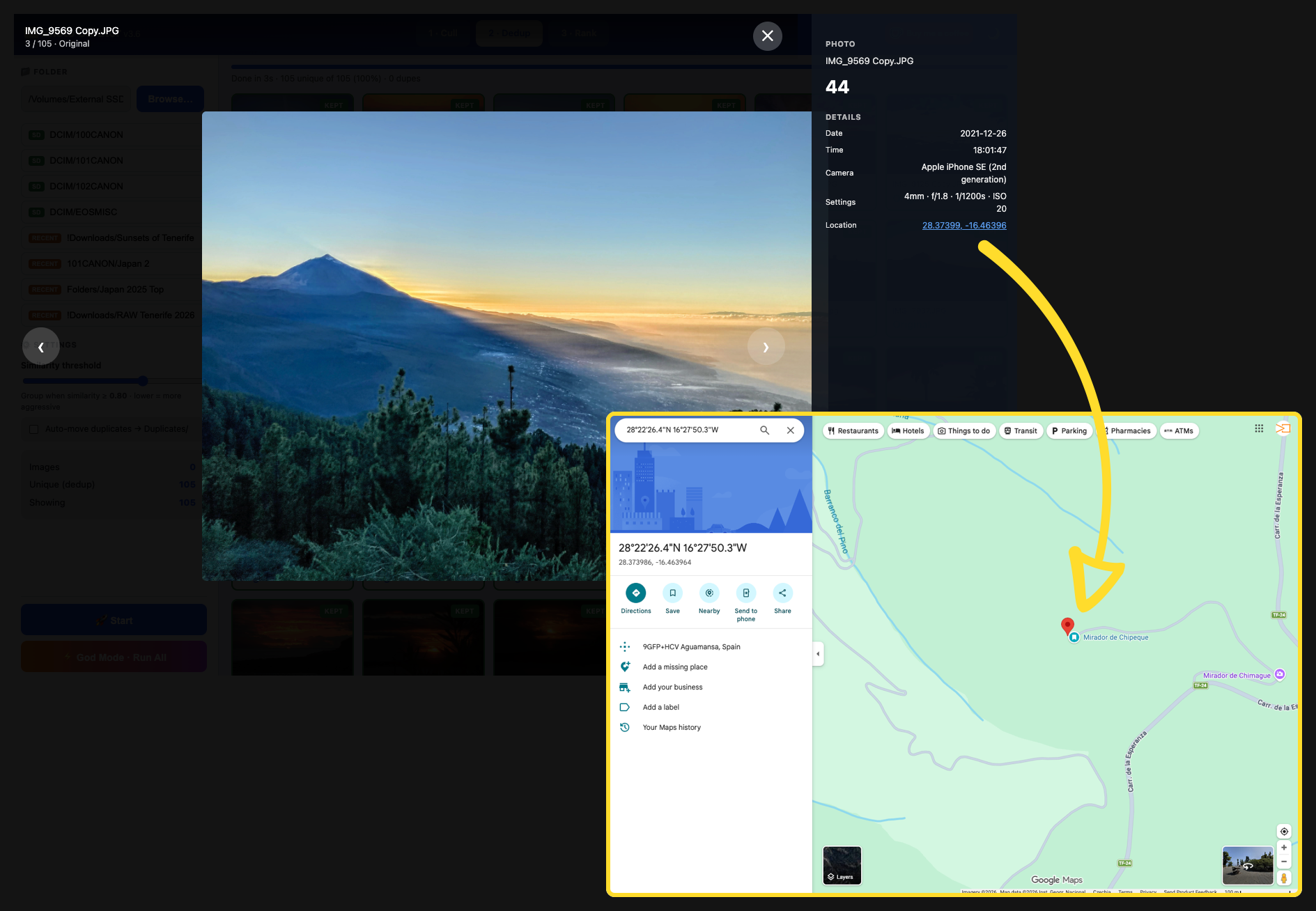
EXIF panel with camera settings and a location map

πŸ“ EXIF & maps, inline

Open any photo to see camera, lens, exposure, ISO and capture time β€” plus an inline map pin for geotagged shots, so you remember exactly where that frame happened.

Phone wallpapers exported from top photos

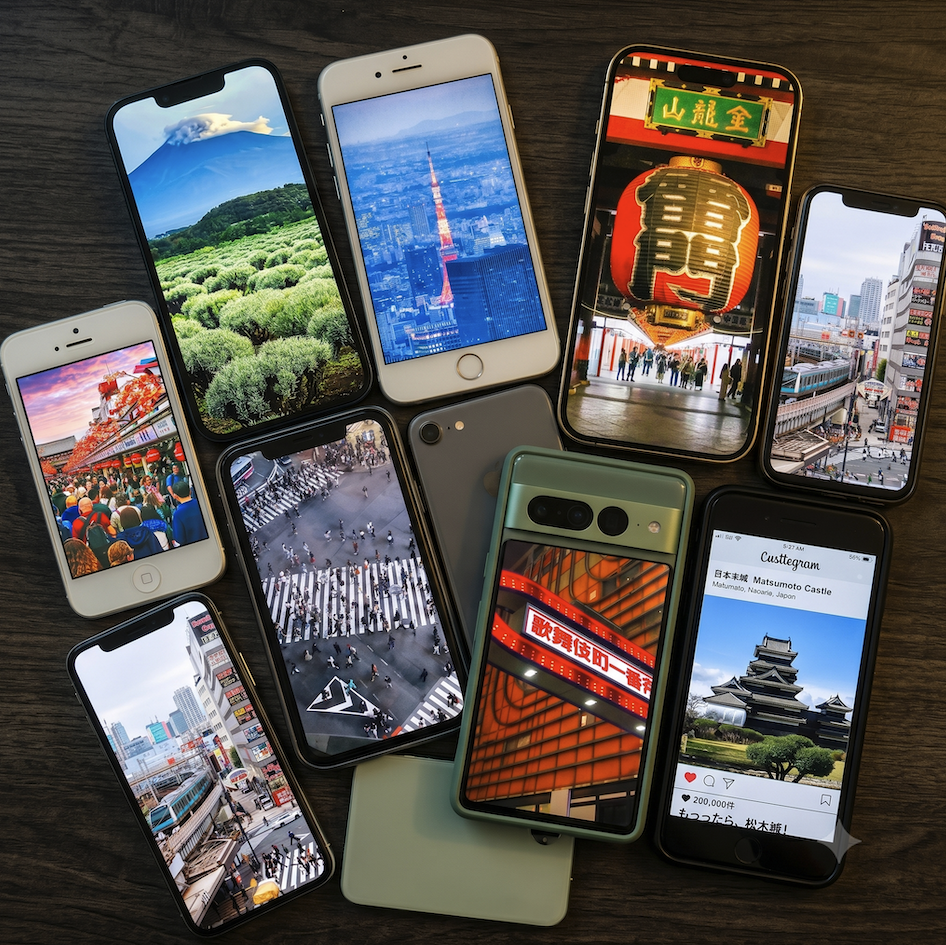
πŸ“± Phone Background export

Tap to mark a top shot as a wallpaper. Export writes full-res originals plus a universal 1290Γ—2796 (19.5:9) crop β€” pixel-perfect on iPhone and covering nearly all Android.

One button

⚑ God Mode runs the whole thing.

Press once and Photo Curator advances through Cull β†’ Dedup β†’ Rank automatically, landing on your ranked TOP N β€” without moving a single file. You still review and move rejects yourself.

Cullβ†’Dedupβ†’Rankβ†’TOP N ✨
Private by architecture

Your photos never leave your Mac.

Not a policy β€” a design. There's no cloud and nothing to sign into.

πŸ”’

100% local

All analysis runs in Python on your machine. The only socket opened is a local server on 127.0.0.1 so your browser can reach it β€” unreachable from the network.

🚫

No uploads, no tracking

No cloud, no accounts, no telemetry, no third-party trackers. It collects nothing and phones home to nothing.

↩️

Always reversible

Nothing is deleted or moved without your say-so. Rejects relocate to Blurred/, Duplicates/ or TOP_N/ only when you press the button.

Under the hood

How it reads a photograph.

StepMetricWhat it does
RAW decodeEmbedded JPEG preview via rawpy/LibRaw (fallback: half-size demosaic)~50Γ— faster than developing the sensor data; EXIF, GPS and orientation preserved. Exports copy the original RAW.
Cullvar(Laplacian) / var(image) on a 1024px copyResolution-independent sharpness that normalizes out contrast, so haze β‰  blur. Threshold adjustable.
Dedup192-bit perceptual hash (avg + dual dHash) + ORB confirmGlobal clustering; EXIF-timed bursts get a relaxed bar; the sharpest frame of each group survives.
RankWeighted focus / lighting / contrast / colour / compositionPer-photo radar plus a TOP-N average profile. Weights are yours to tune.
Get started

Two ways to install.

Pick the one that fits. Both run 100% locally and open in your browser at 127.0.0.1:5014.

πŸ“¦ Offline package

RECOMMENDED ~78 MB

For anyone who just wants it to work. Python and every image library are bundled inside β€” no install, no terminal, no internet needed.

  1. Unzip and keep the PhotoCurator folder together.
  2. Right-click β€œStart Photo Curator.command” β†’ Open (first time only).
  3. A boot animation plays, then your browser opens automatically.

Apple Silicon (M1–M4) Β· macOS 11+ Β· runs entirely offline.

πŸ› οΈ Run from source

~120 KB

For developers, or anyone comfortable with Python. Tiny download β€” you install the libraries yourself. Cross-platform.

# requires Python 3.9+ unzip photo-curator-6.zip cd photo-curator-6 pip install -r requirements.txt python photo_curator.py

Python 3.9+ Β· macOS / Windows / Linux Β· MIT licensed.

Not sure which? Pick the Offline package β€” it needs nothing else installed.
Both run on port 5014 (β€œ50mm f/1.4”) because macOS reserves port 5000 for AirPlay.

# what the Offline package shows on launch
======================================
        πŸ“Έ  Photo Curator v6.0
======================================

Using Python: /usr/bin/python3
Starting the photo engine...

        o          ___________
       /|\        |  _______  |  )))
       / \        | | -   - |#|    >>>
                   | |_______| |  )))
       you         |___[===]___|
                    P H O T O   C U R A T O R

   *CLICK*  ✦ flash! ✦

  πŸ“Έ  Got it! Opening your browser...
  http://127.0.0.1:5014