Point your Axis IP camera at the storm — automatically.
Storm Chaser is a CamScripter microapp for Axis IP cameras. It scans the weather around the camera, finds the strongest cell, and aims at it via PTZ preset, CamSwitcher view, or continuous pan / tilt / zoom.
The anatomy of automated tracking
Storm Chaser acts as an autonomous director — pulling weather telemetry, scoring atmospheric threats, and driving the camera to frame the most critical cell.
See it in action
A quick look at Storm Chaser tracking live weather.
Three ways to track
Pick the mode that fits your hardware — switch any time. Click + on a screenshot to enlarge.
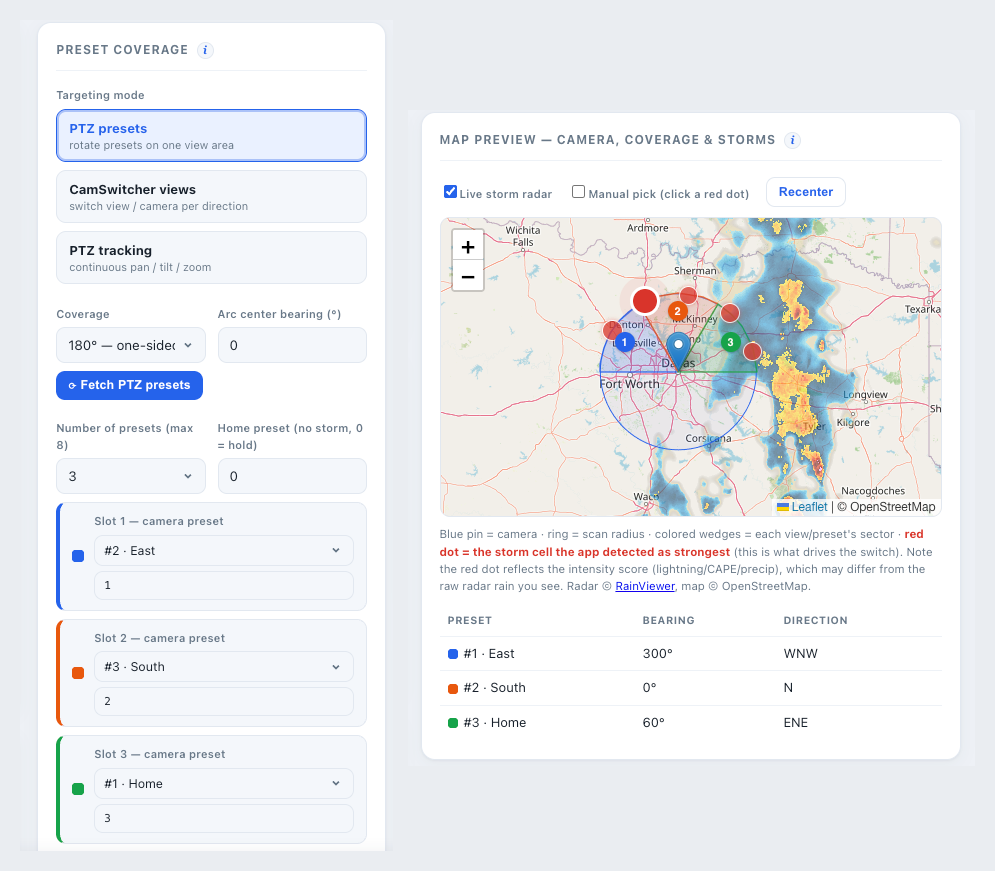
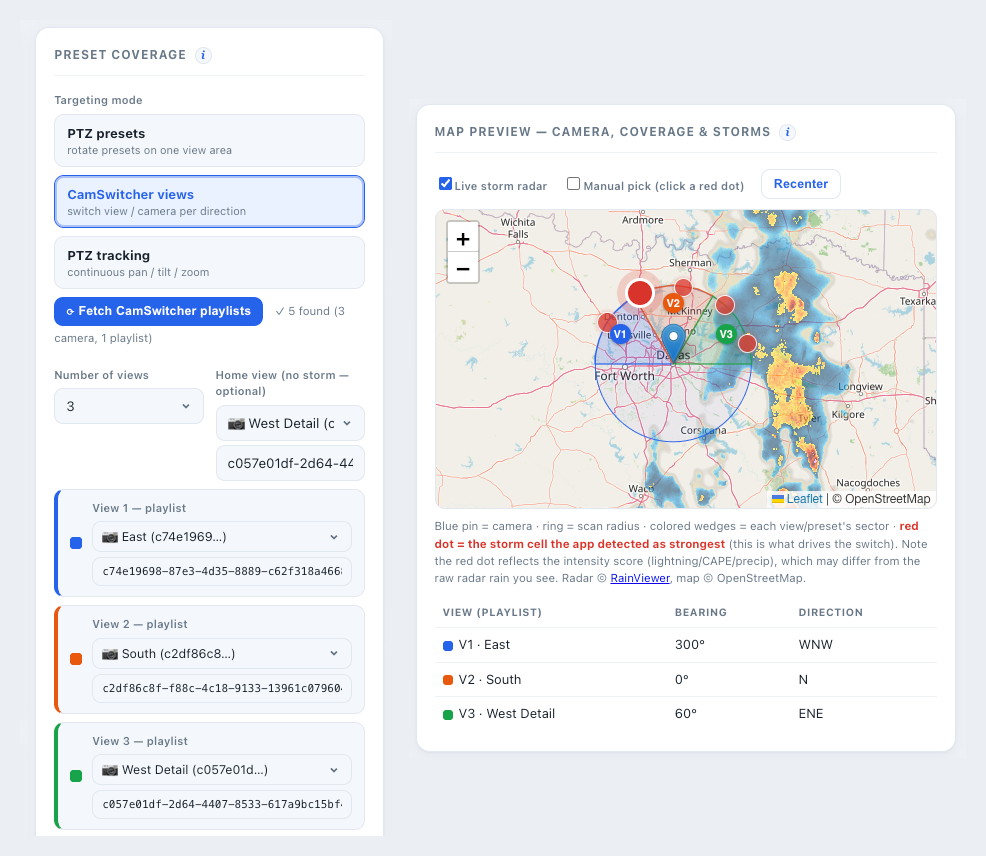
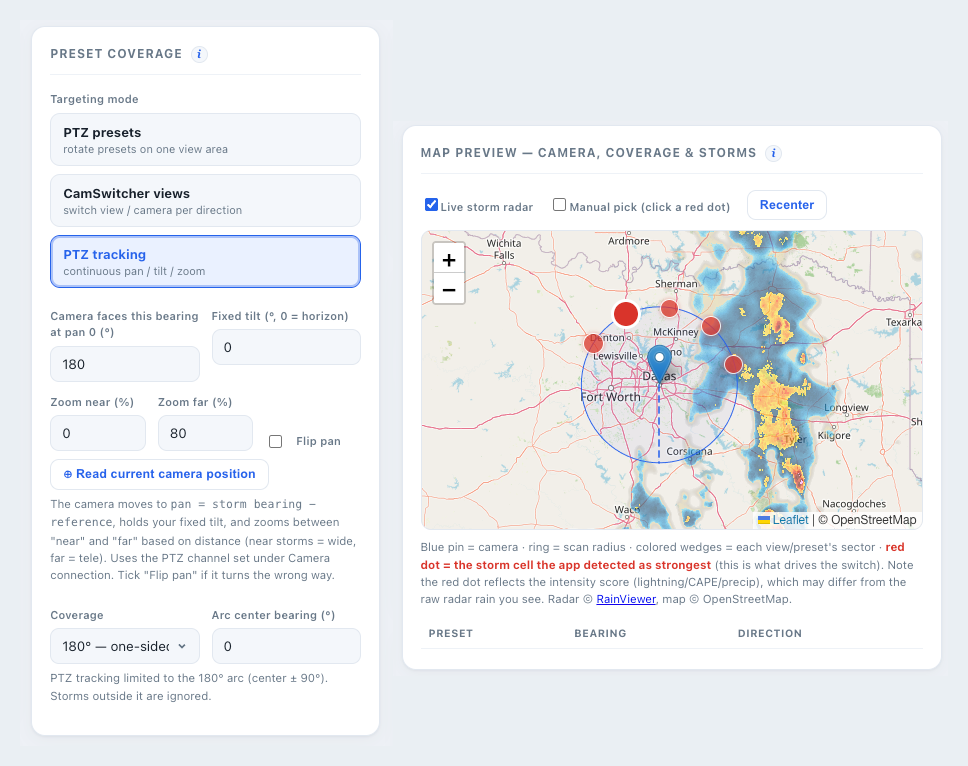
What it does
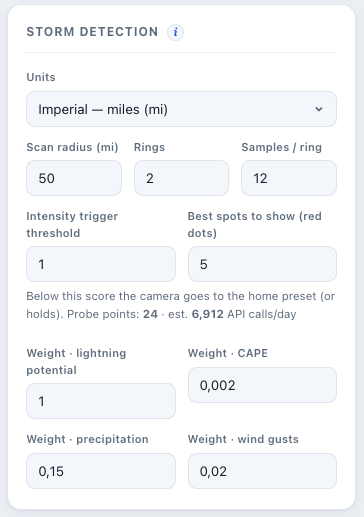
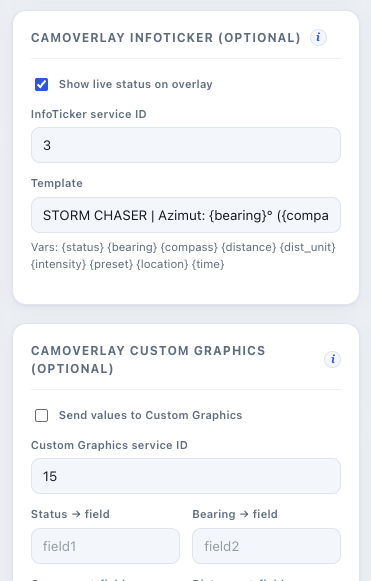
Everything runs on the camera; the map & tuning live in the settings UI. Click + to enlarge.
Deployment readiness checklist
Five phases, in sequence, for stable autonomous tracking.
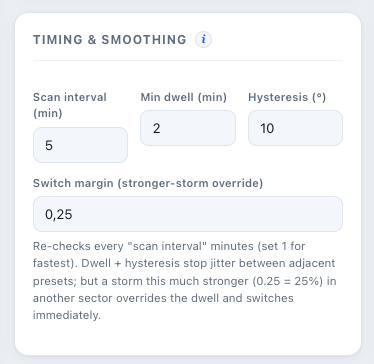
- Lock the base. Verify the camera IP handshake and enter hyper-accurate site latitude/longitude — all bearings are computed from here.
- Cast the net. Set the scan radius and probe grid (rings × samples); watch the estimated daily API calls.
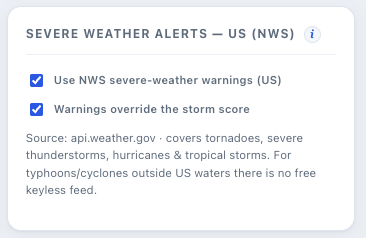
- Tune the matrix. Set the threat weights (lightning, CAPE, precipitation, gusts) and enable NWS severe-weather overrides.
- Dictate the strategy. Choose PTZ presets, PTZ tracking, or CamSwitcher based on your deployment constraints.
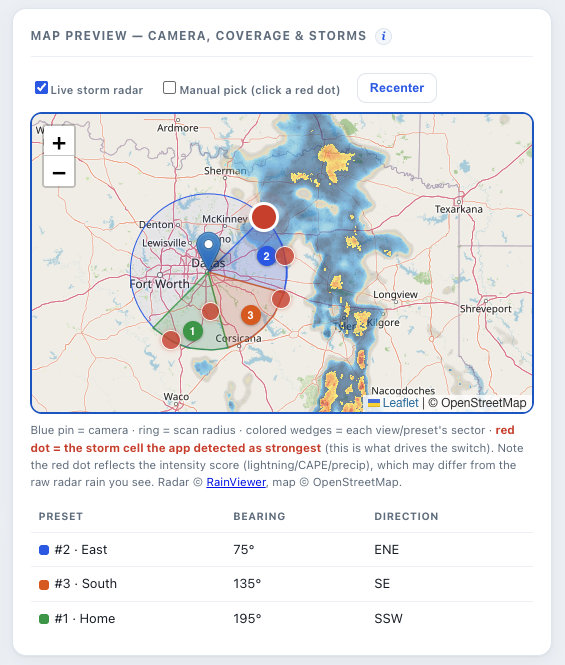
- Verify the map. Confirm the blue anchor pin, colored sectors and red threat dots line up with the physical horizon.
Install CamScripter on the camera (ARTPEC-6+), upload storm_chaser_3_0_2.zip, then Save & restart. Full detail: the bundled UserGuide.md or the illustrated Operations guide (PDF).